 Whatsable



TL;DR:
- Scheduled message automation allows businesses to pre-compose messages and set them to send automatically at a future time or trigger. It improves reliability, personalization, and scalability while reducing manual effort and error risk. Proper setup, including cancellation buffers and testing, enhances effectiveness and customer trust.
Scheduled message automation is defined as the practice of composing a message ahead of time and programming its delivery to occur automatically at a future date, time, or trigger event. This separates writing from sending, so your team never has to be online at 2 a.m. to reach a customer in a different time zone. Businesses using automated messaging systems connect them to CRMs, e-commerce platforms, and workflow tools to maintain consistent outreach without manual effort. Understanding what is scheduled message automation gives any team a direct path to faster, more reliable communication.
What is scheduled message automation and how does it work?
Scheduled message automation allows businesses to set an exact future delivery time, decoupling composition from dispatch and handling message queues automatically without manual sending. The practical implication is significant: your team writes a message once, sets the conditions, and the system takes over from there.

The process works in two main modes. The first is time-based scheduling, where you pick a specific date and time for delivery. The second is trigger-based scheduling, where a customer action fires the message automatically.
Here is how the full lifecycle plays out:
- Message creation: A team member writes the message content and sets delivery parameters inside the platform.
- Queue entry: The message enters a holding queue and waits until the release moment arrives.
- Trigger or timer fires: Either the clock hits the scheduled time, or a customer action (like a form sign-up or cart abandonment) activates the send condition.
- Automatic dispatch: Scheduled messages are queued until the release moment, at which point they enter the normal sending flow and are dispatched without further user action.
- Integration with customer data: The system pulls live customer data at send time to personalize the message before it goes out.
Trigger-based messaging linked to user actions, such as cart abandonment or form sign-up, improves engagement compared to one-off manual messages. That improvement comes from timing: an automated reminder sent 30 minutes after cart abandonment reaches a customer while the purchase decision is still active. A manual message sent the next morning rarely has the same effect.
Booking confirmations, appointment reminders, onboarding sequences, and payment follow-ups all rely on this trigger-and-queue architecture. The business sets the rules once, and the system executes them at scale.
What are the key benefits of using scheduled message automation?
Scheduled message automation delivers four concrete advantages that teams notice within the first month of adoption.
-
Consistency across every customer touchpoint. Automation builds customer trust through predictability. Every customer who books an appointment gets the same confirmation message, at the same interval, with the same professional tone. Manual processes introduce variation; automation removes it.
-
Time savings and reduced cognitive load. Automation improves team efficiency by offloading manual intervention, freeing staff to focus on higher-value tasks and reducing cognitive load. A sales team that previously spent two hours a day sending follow-up messages can redirect that time to closing deals.
-
Better engagement through timed, personalized outreach. Generic mass messages get ignored. Modern automated messaging systems use dynamic data fields to pull a customer’s name, purchase history, or location at send time. The message feels personal even though no human wrote it at that moment.
-
Campaign planning weeks or months in advance. Businesses can plan campaigns weeks or months ahead, maintaining consistent communication without last-minute manual effort. A retail team can build an entire holiday campaign in october, schedule every message, and focus on other work while the sequence runs automatically.
Pro Tip: Set up recurring message schedules for regular touchpoints like weekly newsletters or monthly billing reminders. Scheduled message platforms support daily, weekly, or custom intervals, so you configure the cadence once and the system handles every future send.
How does scheduled message automation compare to manual message sending?
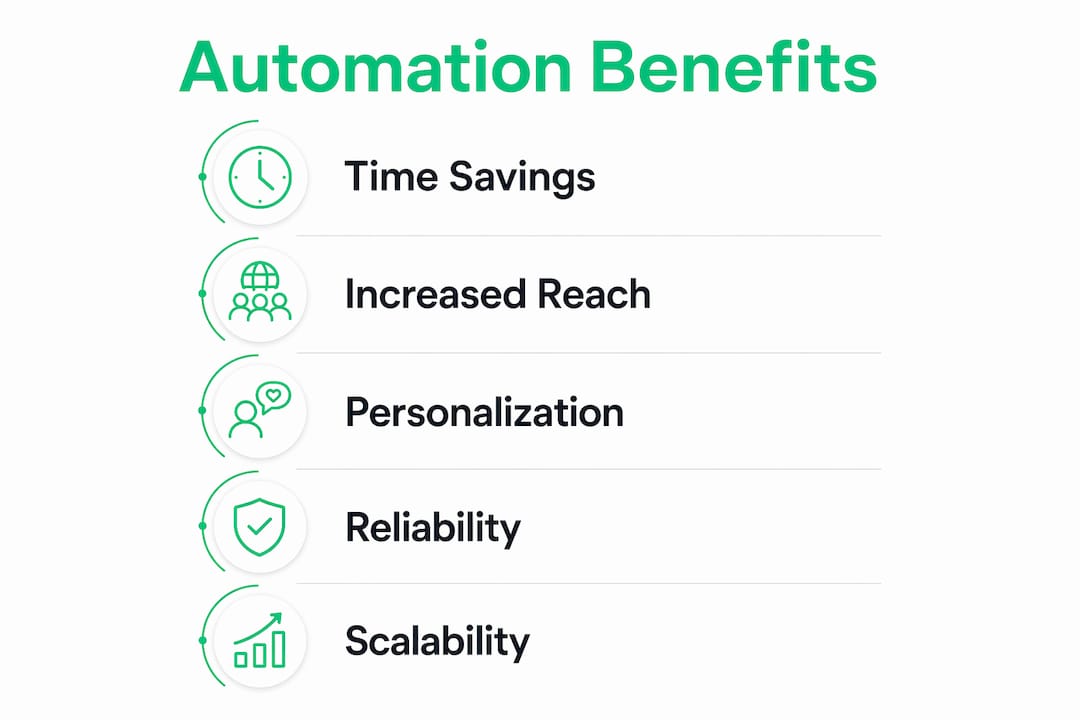
The difference between automation and manual sending is not just speed. It is reliability, scale, and the ability to personalize at volume.
| Factor | Manual message sending | Scheduled message automation |
|---|---|---|
| Speed | Dependent on staff availability | Instant at the programmed trigger or time |
| Consistency | Varies by person and workload | Identical output every time |
| Personalization | High for individual messages | Dynamic fields replicate personal tone at scale |
| Scalability | Breaks down above a few hundred contacts | Handles thousands of sends without added staff |
| Error risk | Typos, wrong recipients, missed sends | Reviewed once at setup; errors caught before queue |
| Staff time required | High and recurring | Low after initial setup |
A common misconception is that automation produces cold, generic messages. Dynamic personalization in scheduled messages pulls customer data at send time, avoiding impersonal generic communications. A message that opens with a customer’s first name, references their last order, and includes a relevant offer reads as personal, regardless of whether a human or a system sent it.
Manual sending does retain one genuine advantage: real-time judgment. A human can read a situation and decide not to send a message. Automation requires that judgment to be built into the workflow in advance, through cancellation buffers and conditional logic. Teams that understand this distinction build better automation systems from the start.
The scalability gap is where automation wins decisively. A team of five cannot manually send 5,000 personalized follow-up messages in a single afternoon. An automated messaging system can.
What are best practices and common pitfalls in scheduled message automation?
Getting the setup right matters more than the tool you choose. These practices separate teams that see results from teams that create noise.
- Build a cancellation buffer into every sequence. A cancellation buffer is a review window that lets you halt a scheduled message if customer circumstances change before delivery. Without one, a customer who already resolved their issue still receives a follow-up that makes your team look out of touch.
- Use dynamic data fields, not static text. Static messages age poorly. A message that says “Hi [First Name], your order ships tomorrow” pulls live data and stays accurate. A message that says “Hi Customer, your order is on its way” tells the recipient nothing useful.
- Space your message sequences deliberately. Drip campaigns that send three messages in 24 hours feel like spam. A sequence spaced over 5–7 days with clear value in each message builds a relationship instead of burning one.
- Test across platforms and devices before launch. Message formatting that looks clean on desktop can break on mobile. WhatsApp, SMS, and email each render content differently. Test every template on the actual channel before scheduling it.
- Review message tone against current events. A promotional message scheduled months in advance can land at a sensitive moment. Build a review step into your calendar, especially for campaigns planned far ahead.
Pro Tip: Pair your message scheduling techniques with audience segmentation. Send the same campaign to different customer segments with slightly different copy and timing, then compare engagement. The data tells you exactly which version to scale.
The most common pitfall is treating automation as a set-and-forget system. Automation handles delivery reliably, but the message content still needs human review at regular intervals. Schedules that ran perfectly in january may need updates by march as your product, pricing, or customer base changes.
Key takeaways
Scheduled message automation separates message creation from delivery, giving business teams consistent, personalized outreach at scale without ongoing manual effort.
| Point | Details |
|---|---|
| Core definition | Scheduled message automation programs delivery at a future time or trigger, removing manual sending entirely. |
| Trigger-based power | Linking messages to customer actions like cart abandonment or sign-ups drives higher engagement than timed blasts alone. |
| Personalization at scale | Dynamic data fields pull customer information at send time, keeping automated messages personal and relevant. |
| Cancellation buffers | Build a review window into every sequence to catch and stop messages that no longer apply before they reach the customer. |
| Campaign planning | Scheduling weeks or months in advance lets teams build full communication calendars without last-minute manual work. |
Why I think most teams underestimate scheduled message automation
Most teams adopt message scheduling to save time. That is the right reason, but it is only half the story. The deeper value is trust. When a customer receives a confirmation message within seconds of booking, a reminder 24 hours before their appointment, and a follow-up the day after, they experience a business that has its act together. That perception of reliability is worth more than any single message.
I have seen teams build entire customer relationships through well-designed automated sequences, without a human ever touching the conversation. The key is that the automation was built with the customer’s experience in mind, not just the team’s convenience. Every message answered a question the customer had at that exact moment.
The mistake I see most often is teams automating their existing manual process without rethinking it. If your manual follow-up sequence was inconsistent and vague, automating it just makes it consistently vague. The technology works best when you redesign the communication flow first, then automate it. That redesign step is where the real efficiency gains live.
Balancing automation with human judgment is not a technical problem. It is a workflow design problem. Build in review points, use cancellation buffers, and audit your sequences quarterly. Automation that gets regular human attention outperforms automation that runs unattended every time.
— Axel
Whatsable’s tools for scheduled message automation
Business teams ready to put scheduled message automation to work have a direct path through Whatsable. The platform’s Notifyer System lets teams send unlimited branded WhatsApp messages, build automated follow-up sequences, and connect to tools like Zapier, Make, n8n, and Pipedrive without custom development work.
Whatsable also offers Whatsable Bot for internal team notifications, so the same automation logic that handles customer outreach can manage internal alerts and workflow triggers. Both products include detailed analytics, so teams can measure what is working and adjust sequences based on real engagement data. For teams evaluating options, Whatsable’s pricing plans lay out exactly what each tier includes. The platform also provides onboarding support and human customer service, which matters when you are building your first automated messaging workflow and need answers fast.
FAQ
What is scheduled message automation?
Scheduled message automation is the process of writing a message in advance and programming it to send automatically at a set time or when a specific trigger event occurs. It removes the need for manual sending and keeps communication consistent at any scale.
How do trigger-based messages differ from time-based scheduling?
Time-based scheduling sends a message at a fixed date and time. Trigger-based scheduling fires a message when a customer takes a specific action, such as abandoning a cart or completing a sign-up, making the outreach directly relevant to that behavior.
Does automation make messages feel impersonal?
Automation does not mean depersonalization. Modern systems dynamically personalize messages at delivery by pulling customer data at send time, so recipients receive messages that reference their name, history, or preferences.
What is a cancellation buffer in message scheduling?
A cancellation buffer is a review window built into a scheduled message workflow. It gives teams time to stop a message before it sends if the customer’s situation has changed, preventing irrelevant or tone-deaf outreach.
What channels support scheduled message automation?
Scheduled message automation works across SMS, WhatsApp, and email. Platforms like Whatsable specialize in WhatsApp automation, while other tools cover SMS and email, with formatting and delivery rules varying by channel.