 Whatsable




TL;DR:
- WhatsApp click-to-chat ads enable users to start a direct conversation with businesses by tapping a button on social media ads. They remove friction, increase engagement, and generate higher-quality leads within a 72-hour free messaging window. Implementing automated follow-ups and opt-in capture maximizes the campaign’s long-term value and conversion rates.
A WhatsApp click-to-chat ad is a Facebook or Instagram advertisement that opens a direct WhatsApp conversation with your business the moment a user taps it. No forms. No landing pages. No waiting. The industry term for this format is “Click-to-WhatsApp ad,” and Meta runs it through its standard Ads Manager interface. For marketers focused on lead generation and customer engagement, this format removes the single biggest barrier in digital advertising: the gap between interest and contact. 64% of consumers report they are likely to message a brand directly from an ad, which makes this format one of the highest-intent placements available on Meta’s network.
What is a WhatsApp click-to-chat ad and how does it work?
A Click-to-WhatsApp ad places a “Send Message” call-to-action button inside a standard Facebook or Instagram ad unit. When a user taps that button, WhatsApp opens automatically with a pre-filled greeting message ready to send. The user does not need to search for your business, find your number, or type anything from scratch.
The mechanics follow a clear sequence:
- Ad appears in Facebook Feed, Instagram Feed, Instagram Stories, or Facebook Marketplace.
- User taps the “Send Message” button on the ad.
- WhatsApp opens on the user’s device with your pre-configured greeting message already loaded.
- User sends the message, which initiates the conversation and opens a 72-hour service window.
- Your team or chatbot responds, qualifying the lead or completing the transaction.
The campaign lives inside Meta Ads Manager. You select an objective such as “Messages,” “Traffic,” or “Engagement,” then set the conversion location to “Messaging apps” and choose WhatsApp as the destination. From there, you connect your WhatsApp Business phone number and write the pre-filled greeting the user will see.
Pro Tip: Write the pre-filled greeting as a specific question, not a generic “Hi.” Something like “I saw your ad about [product]. Can you tell me more?” gives your team immediate context and makes the conversation feel natural from the first message.

After the user sends that first message, your response options split into two paths. You can route conversations to a live agent through your WhatsApp Business inbox, or you can connect an automated chatbot to handle qualification, FAQs, and opt-in capture without any manual effort.
What are the benefits of WhatsApp click-to-chat ad campaigns?
Click-to-WhatsApp ads remove friction by skipping the form-and-landing-page step entirely. That single change has a measurable impact on conversion rates because users who are already on their phones can start a conversation in two taps. The psychology is simple: the lower the effort, the higher the completion rate.
Key advantages for businesses include:
- Instant conversation initiation. Users go from ad to chat in seconds, capturing intent at its peak.
- No algorithm dependency. Every user who messages you becomes a direct contact. You own that relationship independent of Facebook or Instagram feed algorithms.
- Free 72-hour messaging window. Businesses can reply and send templated messages within 72 hours of the user’s first message at no additional charge.
- Long-term subscriber value. Opted-in subscribers can be marketed to for up to 12 months without paying extra ad delivery costs.
- Trust through encryption. WhatsApp’s end-to-end encrypted environment makes users more willing to share personal details than they would on a public form.
- Multi-objective fit. These ads support lead generation, sales, customer service, and loyalty programs within a single format.
Pro Tip: Capture a marketing opt-in during the first exchange inside the 72-hour window. Ask the user directly: “Can we send you updates and offers on WhatsApp?” A simple yes gives you a compliant contact for future campaigns.
The most underrated benefit is the subscriber list you build over time. Unlike a social media following, a WhatsApp contact list is yours. No platform change can cut off your access to it.
What are the setup steps for running WhatsApp click-to-chat ads?
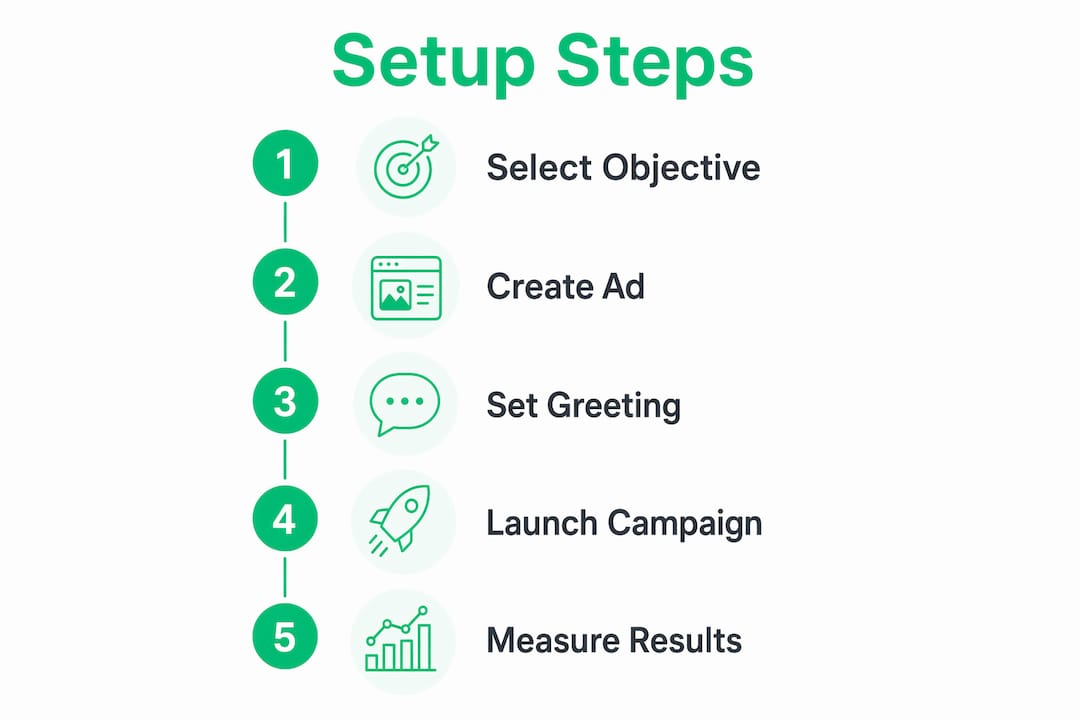
The technical requirements are straightforward, but skipping any one of them will block your campaign from launching. Follow this sequence:
- Create a Meta Business Manager account at business.facebook.com if you do not already have one.
- Connect a WhatsApp Business account to your Meta Business Manager. You need a dedicated phone number for this.
- Open Meta Ads Manager and click “Create Campaign.”
- Select your objective. Use “Messages,” “Traffic,” or “Engagement” depending on your goal.
- Set the conversion location to “Messaging apps” at the ad set level.
- Choose WhatsApp as the messaging destination and link your WhatsApp Business phone number.
- Write your pre-filled greeting message. This is what users will see before they hit send.
- Design your ad creative. Use images, video, or carousel formats. The “Send Message” button appears automatically.
- Set up tracking using Meta Pixel, Conversions API, or Offline Conversions to measure results.
The table below maps each campaign objective to its primary use case:
| Objective | Best for | What it optimizes |
|---|---|---|
| Messages | Lead generation | Conversation starts |
| Traffic | Awareness with chat option | Link clicks and chat opens |
| Engagement | Community building | Interactions and replies |
| Sales | Direct purchase intent | Conversions and revenue |
A solid marketing automation checklist helps you confirm every integration point before launch, especially if you plan to connect your WhatsApp inbox to a CRM or automation platform.
How do you measure and optimize WhatsApp click-to-chat ad performance?
Measurement starts with four core metrics: click-through rate on the ad, chat initiation rate (users who actually send the first message), conversation duration, and downstream conversion rate. Each metric tells you something different about where your funnel is leaking.
Meta’s Pixel, Conversions API, and Offline Conversions tools give you the data layer to track these events. The Conversions API is particularly useful because it captures server-side data that browser-based tracking misses, especially on mobile devices.
Strategies that consistently improve performance:
- Test your pre-filled message. A specific, benefit-driven opener gets more replies than a generic greeting.
- Narrow your audience targeting. Broad audiences generate cheap clicks but low-quality conversations. Use interest stacking and lookalike audiences built from your existing WhatsApp contacts.
- Rotate creative every two to three weeks. Ad fatigue in WhatsApp campaigns shows up as a drop in chat initiation rate, not just click-through rate.
- Monitor response time. Conversations that go unanswered for more than a few hours see sharp drop-offs in engagement. Set up automated replies for off-hours coverage.
Pro Tip: Use the conversation data inside WhatsApp to identify the most common first questions users ask. Then rewrite your ad copy to answer those questions before the user even clicks. This pre-qualifies leads and reduces the volume of low-intent conversations.
Understanding what conversions mean in the context of WhatsApp campaigns is critical. A “conversion” here is not always a purchase. It can be a qualified lead, a booked appointment, or a confirmed opt-in, depending on your business model.
What are WhatsApp’s advertising features and privacy protections?
WhatsApp runs ads in two locations that are separate from private chats: the Updates tab (formerly Status) and the Channels section. These placements are distinct from private conversations, which preserves end-to-end encryption for all personal messages.
The privacy architecture matters for marketers because it affects targeting:
- No chat content targeting. WhatsApp never uses personal chat content for ad targeting. Ads are served based on non-personal signals like location and interaction patterns.
- Meta account linking. Connecting your WhatsApp account to Facebook or Instagram allows Meta to use cross-platform behavior for ad personalization, but this is opt-in at the user level.
- User-initiated vs. business-initiated conversations. When a user starts the conversation by clicking your ad, the 72-hour free window opens. When your business sends the first message without a prior user action, standard template message fees apply.
“WhatsApp’s commitment to end-to-end encryption means your customers can share sensitive information, like order details or personal preferences, inside a chat without that data being harvested for ad targeting. That trust is a genuine competitive advantage for businesses that use WhatsApp as a primary customer channel.”
The distinction between user-initiated and business-initiated conversations has direct cost implications. Ads that click to WhatsApp are always user-initiated, which is why they unlock the free 72-hour window and make the format so cost-efficient for lead generation.
Key Takeaways
WhatsApp click-to-chat ads are the most direct path from a social media impression to a live customer conversation, and the 72-hour free messaging window makes them one of the most cost-efficient lead generation formats on Meta’s platform.
| Point | Details |
|---|---|
| Core mechanic | Users tap a Facebook or Instagram ad and WhatsApp opens with a pre-filled message ready to send. |
| 72-hour window | Businesses can reply and send templates free of charge within 72 hours of the user’s first message. |
| Subscriber ownership | Opted-in WhatsApp contacts belong to your business, not to a social media algorithm. |
| Tracking tools | Use Meta Pixel, Conversions API, and Offline Conversions to measure chat initiations and downstream conversions. |
| Privacy boundary | WhatsApp never uses private chat content for ad targeting, which builds user trust in the channel. |
Why the 72-hour window is the real opportunity most marketers miss
I have watched businesses run solid Click-to-WhatsApp campaigns and then lose the lead because nobody followed up inside the window. The ad does its job. The user messages. Then the conversation sits unanswered for six hours, and the moment is gone.
The 72-hour window is not just a billing rule. It is a behavioral window. Users who message a business are in an active decision-making state. They want information now. A response within minutes converts at a dramatically higher rate than one that arrives the next morning. The businesses I have seen get the most out of this format treat that window like a live sales call, not an email inbox.
The second mistake is skipping the opt-in capture. Getting a user to message you is step one. Getting them to say “yes, send me updates” is the step that turns a one-time conversation into a long-term marketing asset. Most marketers focus entirely on the ad creative and ignore the conversation flow that follows. The ad gets you in the door. What happens inside WhatsApp determines whether you close the deal.
My honest take: WhatsApp click-to-chat ads work best when they are part of a broader messaging strategy, not a standalone tactic. Pair them with automated follow-up sequences, a clear opt-in flow, and a CRM integration, and you have a lead generation system that compounds over time. Run them in isolation, and you are just paying for conversations that go nowhere.
— Axel
How Whatsable helps you turn WhatsApp ad conversations into leads
Running Click-to-WhatsApp ads generates conversations. Managing those conversations at scale, without dropping leads or missing the 72-hour window, requires automation.
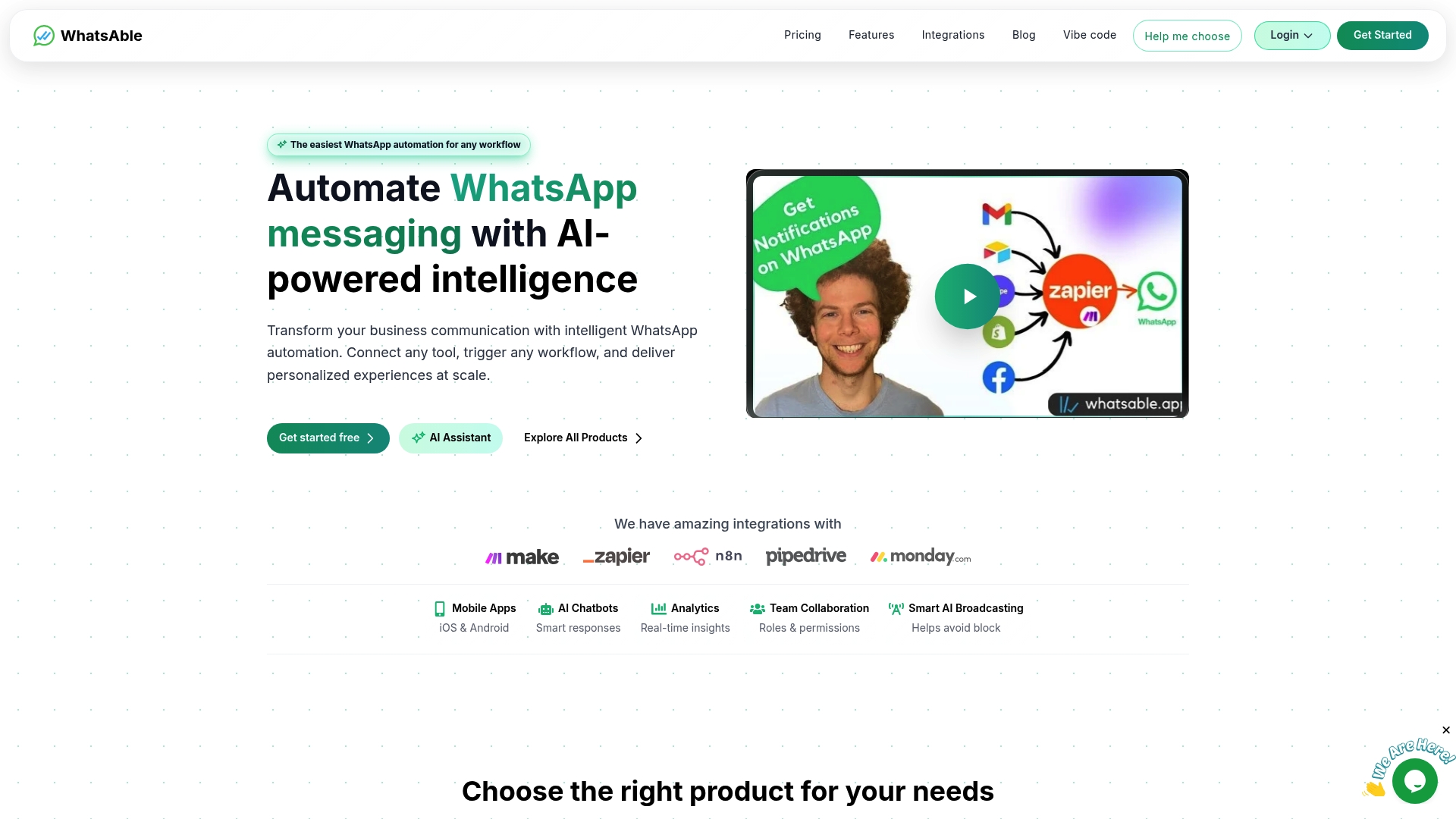
Whatsable’s Notifyer System handles exactly that. It automates follow-up sequences, captures opt-ins, and integrates with tools like Zapier, Make, n8n, and Pipedrive so every WhatsApp lead flows directly into your existing workflow. For teams that want AI-driven conversation management, Whatsable’s AI agent platform handles qualification and response without manual effort. If you are running WhatsApp ads and managing replies by hand, you are leaving leads on the table.
FAQ
What is a WhatsApp click-to-chat ad?
A WhatsApp click-to-chat ad is a Facebook or Instagram ad with a “Send Message” button that opens a direct WhatsApp conversation with your business when tapped. The industry term is “Click-to-WhatsApp ad,” and it runs through Meta Ads Manager.
Do I need a WhatsApp Business account to run these ads?
Yes. You need a WhatsApp Business account connected to a Meta Business Manager account before you can create a Click-to-WhatsApp campaign in Meta Ads Manager.
What is the 72-hour messaging window?
The 72-hour window opens when a user sends your business the first message. During this period, businesses can reply and send templated messages at no additional charge. Messages sent after the window closes incur standard template fees.
Does WhatsApp use my chat content for ad targeting?
No. WhatsApp does not use personal chat content for ad targeting. Ads are served based on non-personal signals like location and ad interaction patterns, and end-to-end encryption remains intact for all private conversations.
Which Meta ad objectives work with WhatsApp click-to-chat ads?
The “Messages,” “Traffic,” “Engagement,” and “Sales” objectives in Meta Ads Manager all support WhatsApp as a conversion destination. “Messages” is the most common choice for lead generation because it optimizes directly for conversation starts.